Function Description
| Category | Description |
|---|---|
| Function Syntax | MID(text,start_num,num_chars) |
| Function | Returns a specified number of characters from a text string, starting at the specified position. |
| Parameters | text: the text string that contains the characters to extract start_num: the start position of the characters to extract The position of the first character in the text is 1, and so on. num_chars: the length of the returned characters |
| Number of Parameters | 3 |
| Parameter Types | Text, number, number |
| Return Value Type | Text |
| Notes | If the value of start_num is greater than the text length, the MID function returns "" (empty text). If the value is less than the text length and the start_num value plus the num_chars value is greater than the text length, the MID function returns all characters from the start position specified by start_num to the end of the text. If the start_num value is less than 1, the MID function returns the #VALUE! error. If the num_chars value is a negative number, the MID function returns the #VALUE! error. |
The following table provides simple formula examples.
| Formula | Result |
|---|---|
MID("Finemoresoftware",9,8) | software (starts from the ninth character and gets the following eight characters) |
MID("Finemoresoftware",30,5) | Empty text |
MID("Finemoresoftware",0,8) | #VALUE! |
MID("Finemoresoftware",5,-1) | #VALUE! |
Example
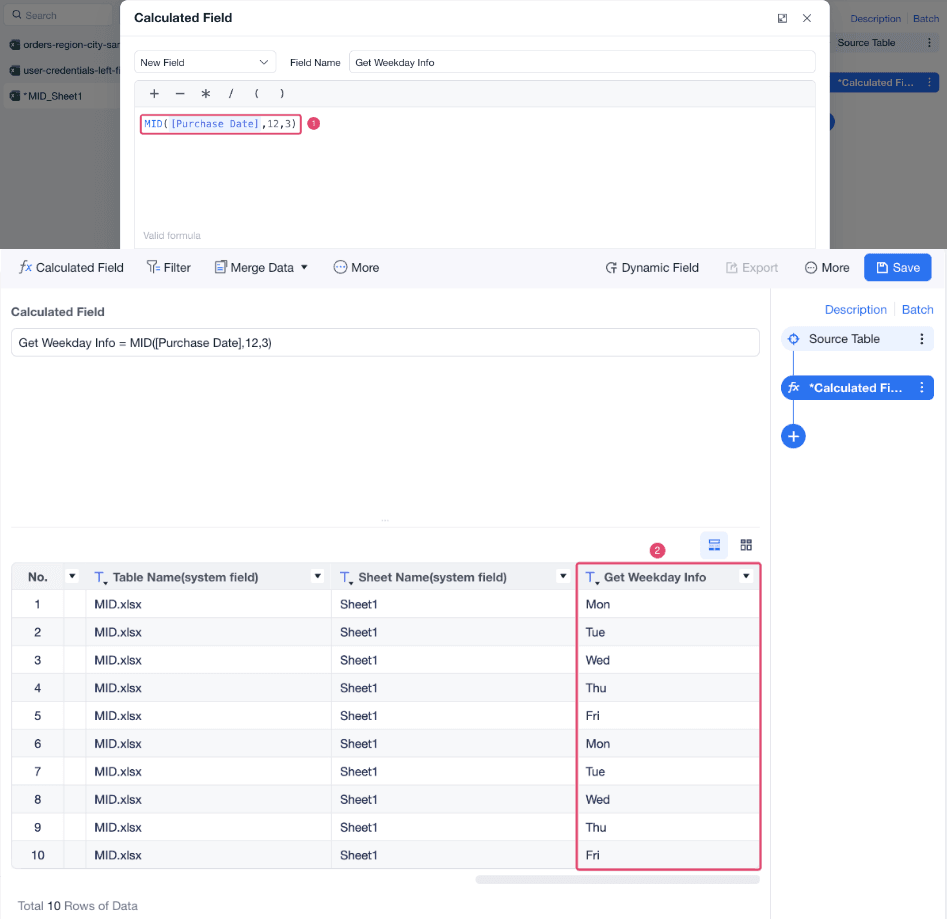
- For example, if you want to get weekday information from the Purchase Date field and the field values have the same length, you can use the MID function.
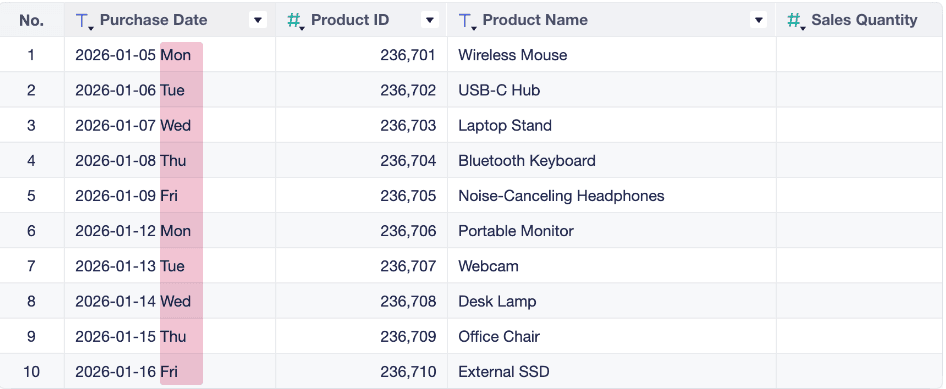
- Use the formula
MID([Purchase Date],12,3)to get three characters starting from the twelfth character, as shown in the following figure.