Function Description
| Category | Description |
|---|---|
| Syntax | SUM(number) |
| Function | Returns the sum of the number values for the current analysis dimension. |
| Parameter | number: the numeric values to sum |
| Number of Parameters | 1 |
| Parameter Type | Number |
| Return Value Type | Number |
| Notes | Aggregate functions can be used only when you add a metric to a chart. They cannot be used in analysis tables. |
Calculate An Average With Aggregate Functions
When the date field in Row Dimension is set to day granularity, the metric SUM([Contract Amount]) returns the total contract amount for each day.
When the date field in Row Dimension is set to month granularity, the metric SUM([Contract Amount]) returns the total contract amount for each month.
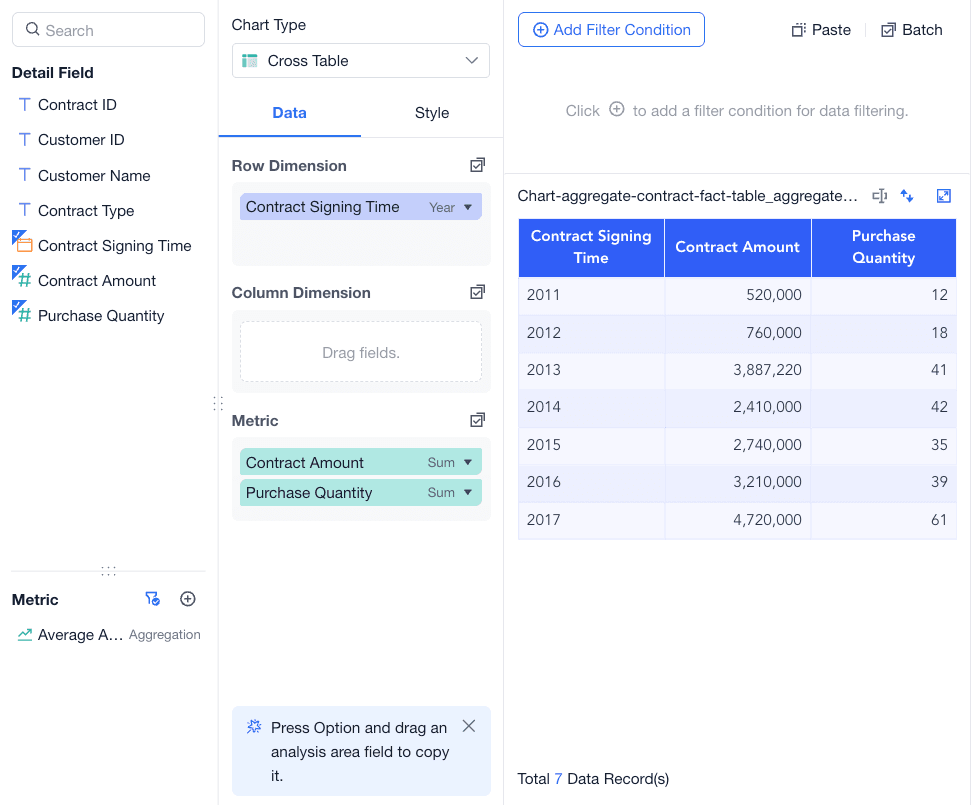
In this example, a table contains Contract Amount and Purchase Quantity for each year from 2011 to 2017. To calculate the average amount for each year, use an aggregate formula.
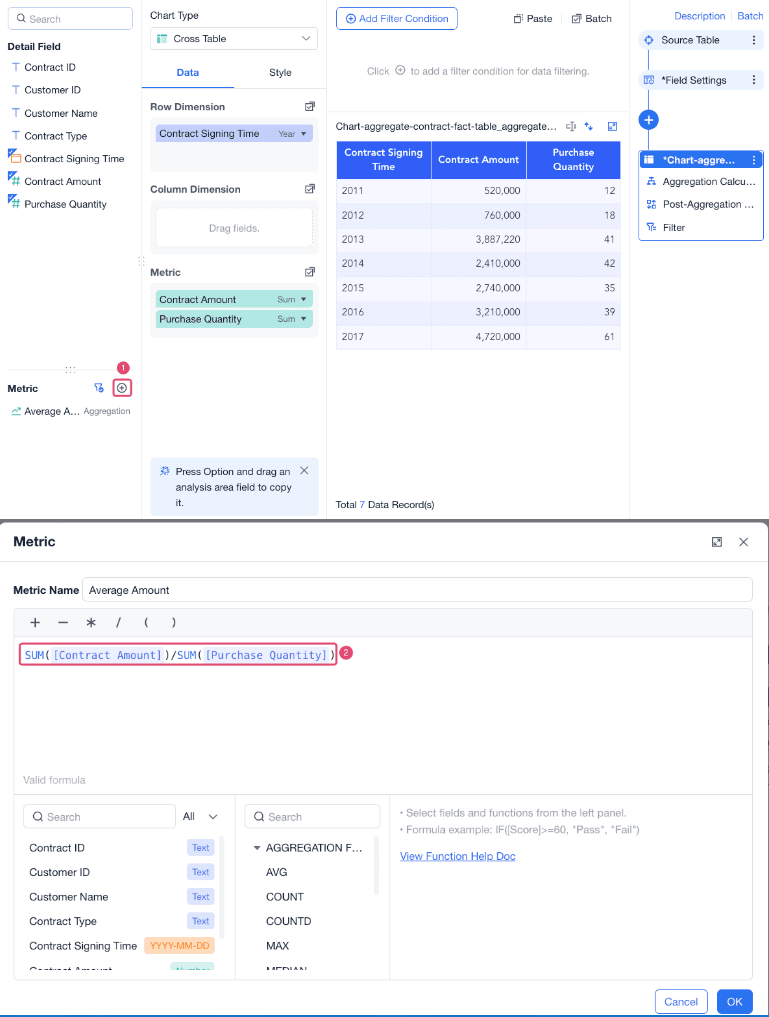
Create a metric named Average Amount and enter the formula SUM([Contract Amount])/SUM([Purchase Quantity]).
Drag the metric to the Metric area to view the result.
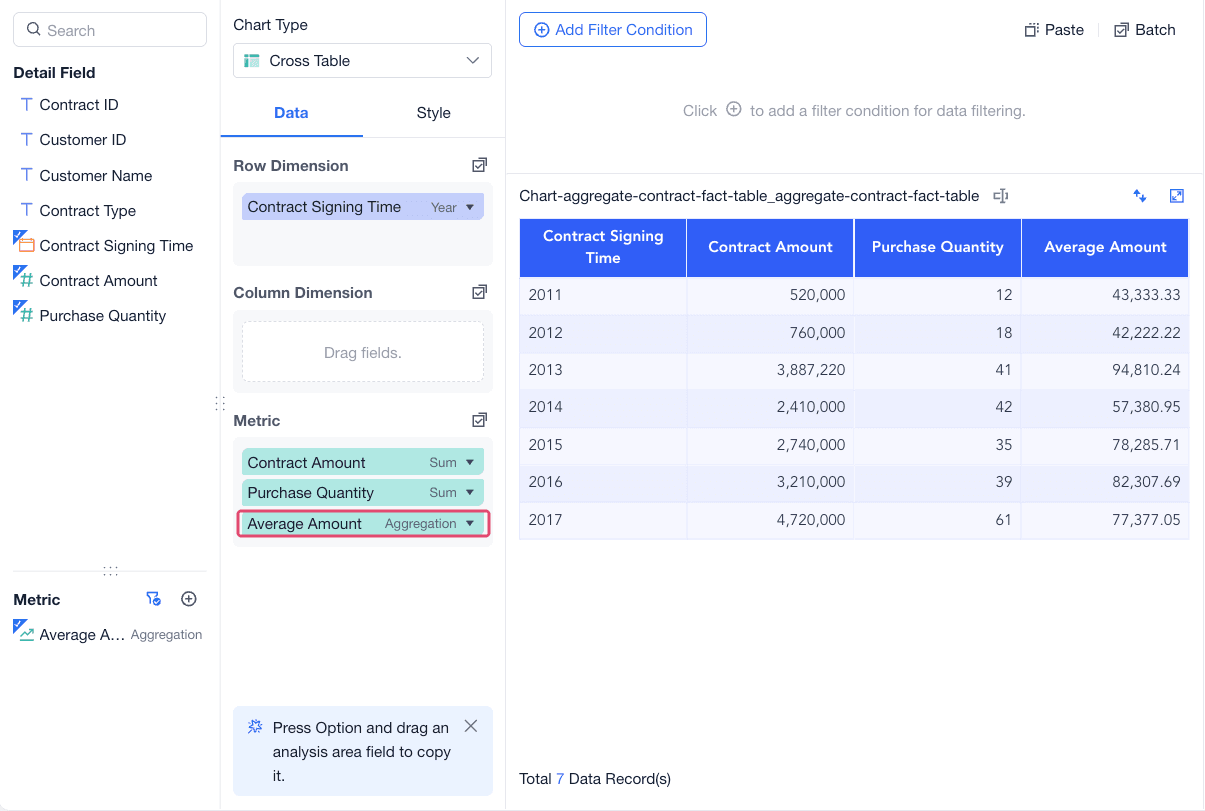
Because the current analysis dimension is Contract Signing Time (Year), the formula is calculated as follows.
| Formula | Description |
|---|---|
SUM([Contract Amount]) | Returns the total contract amount for each year. |
SUM([Purchase Quantity]) | Returns the total purchase quantity for each year. |
SUM([Contract Amount])/SUM([Purchase Quantity]) | Returns the average amount for each year. For example, the average amount for 2013 is 3887220/41 because the total contract amount in 2013 is 3887220 and the total purchase quantity is 41. |
Calculate An Average Without Aggregate Functions
Formula Logic Comparison
Because the current analysis dimension is Contract Signing Time (Year), the following table compares the logic using data for 2013 as an example.
| Formula | Calculation Order |
|---|---|
[Contract Amount]/[Purchase Quantity] | Calculates the average amount for each contract in 2013 first, and then sums the contract-level results. |
SUM([Contract Amount])/SUM([Purchase Quantity]) | Sums the contract amount and purchase quantity for 2013 first, and then divides the total contract amount by the total purchase quantity to get the average amount for 2013. |
Example
To view the calculation result without aggregate functions, create a calculated field named Non-Aggregate Average in an analysis table and enter the formula [Contract Amount]/[Purchase Quantity].
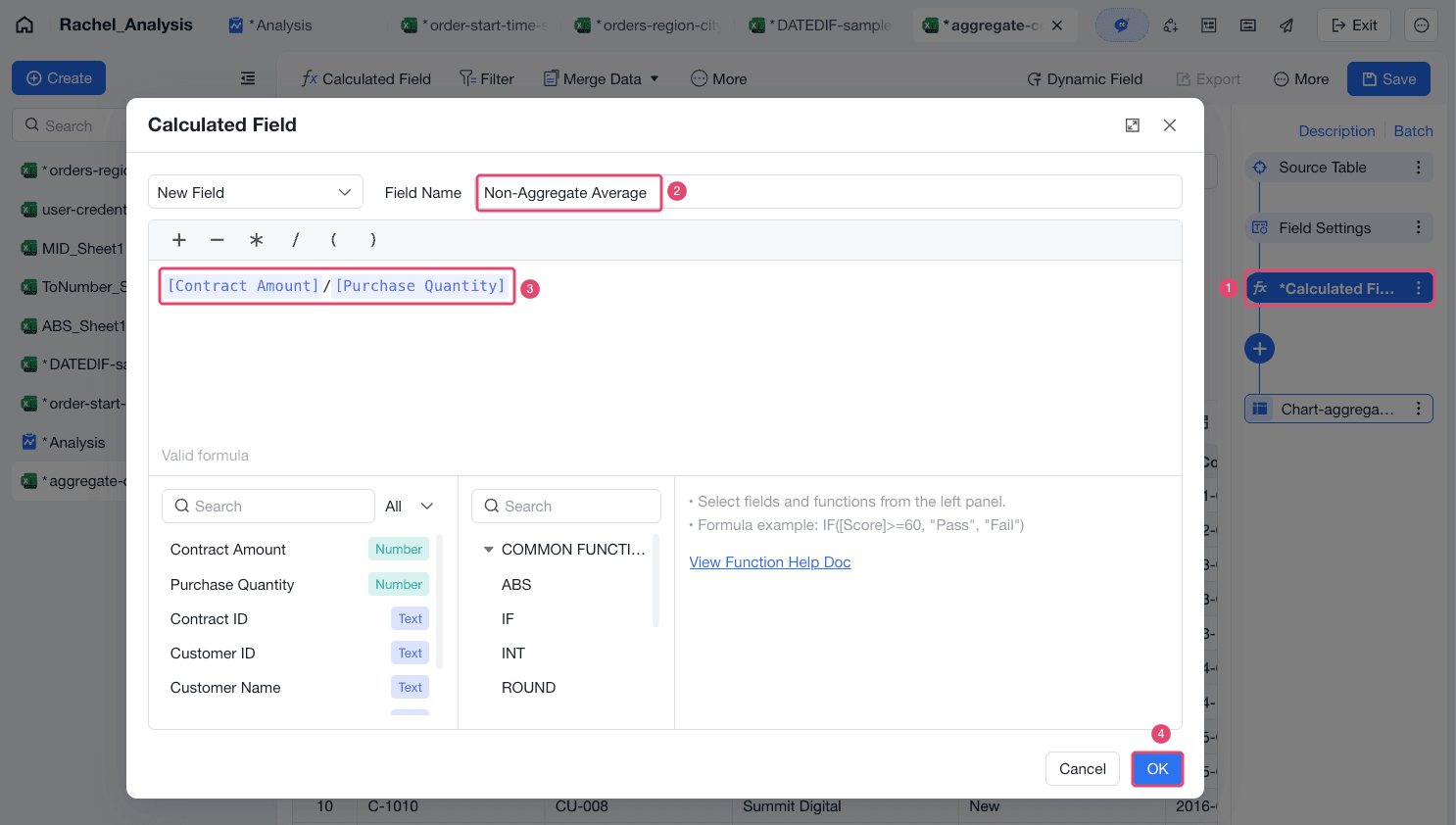
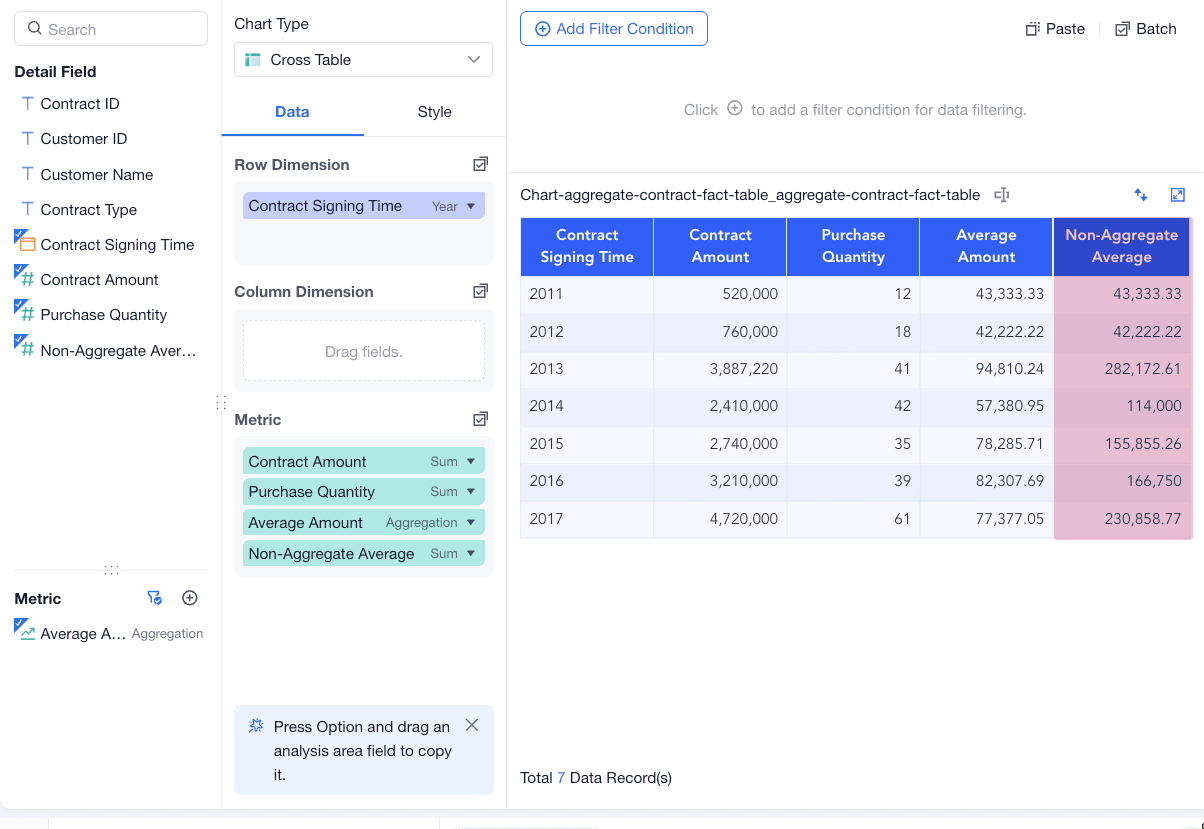
Drag Non-Aggregate Average to the Metric area. The calculation result is shown in the following figure.
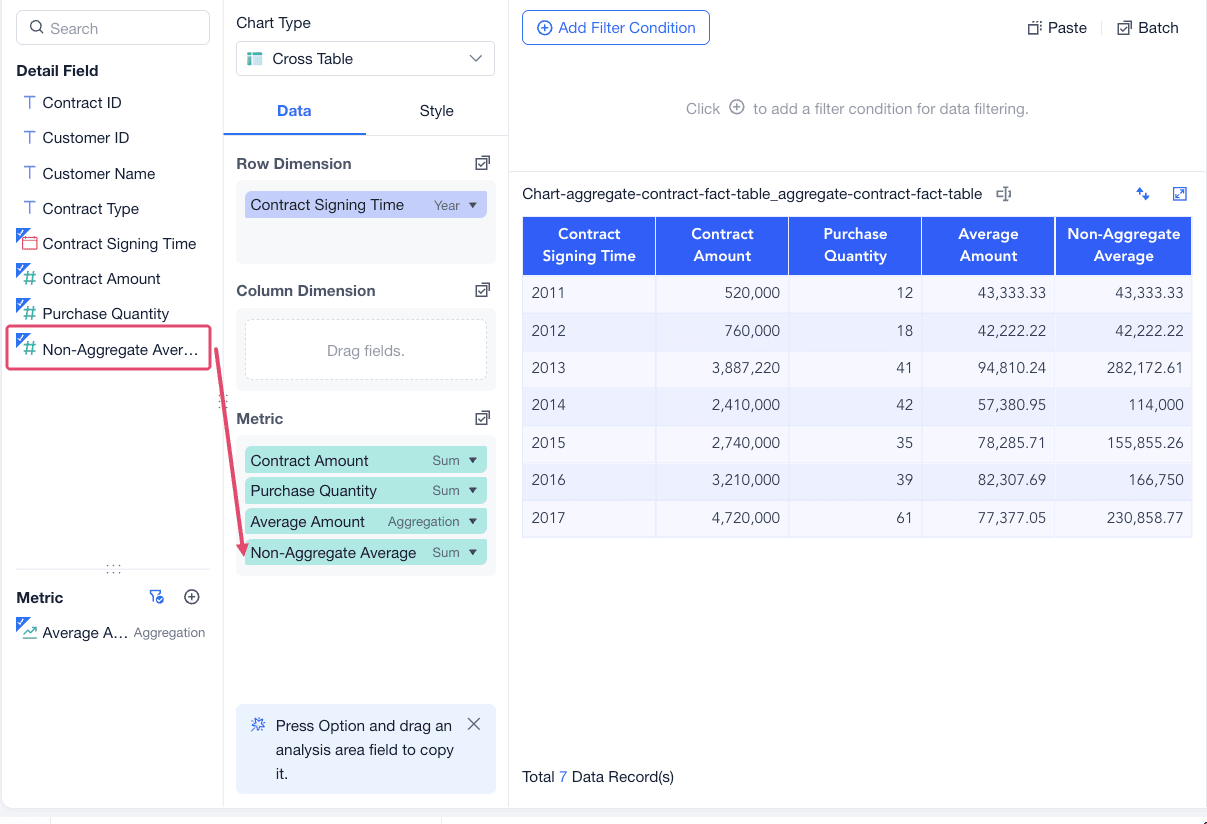
The result without an aggregate function is calculated by dividing each detail row first and then summing the row-level results.