Function Description
| Category | Description |
|---|---|
| Syntax | COUNT(field) |
| Function | Returns the count of the field values for the current analysis dimension. |
| Parameter | field: the field values to count |
| Number of Parameters | 1 |
| Parameter Type | Field |
| Return Value Type | Number |
| Notes | Aggregate functions can be used only when you add a metric to a chart. They cannot be used in analysis tables. |
Examples
When the date field in Row Dimension is set to day granularity, the metric COUNT([Order ID]) returns the number of orders for each day.
When the date field in Row Dimension is set to month granularity, the metric COUNT([Order ID]) returns the number of orders for each month.
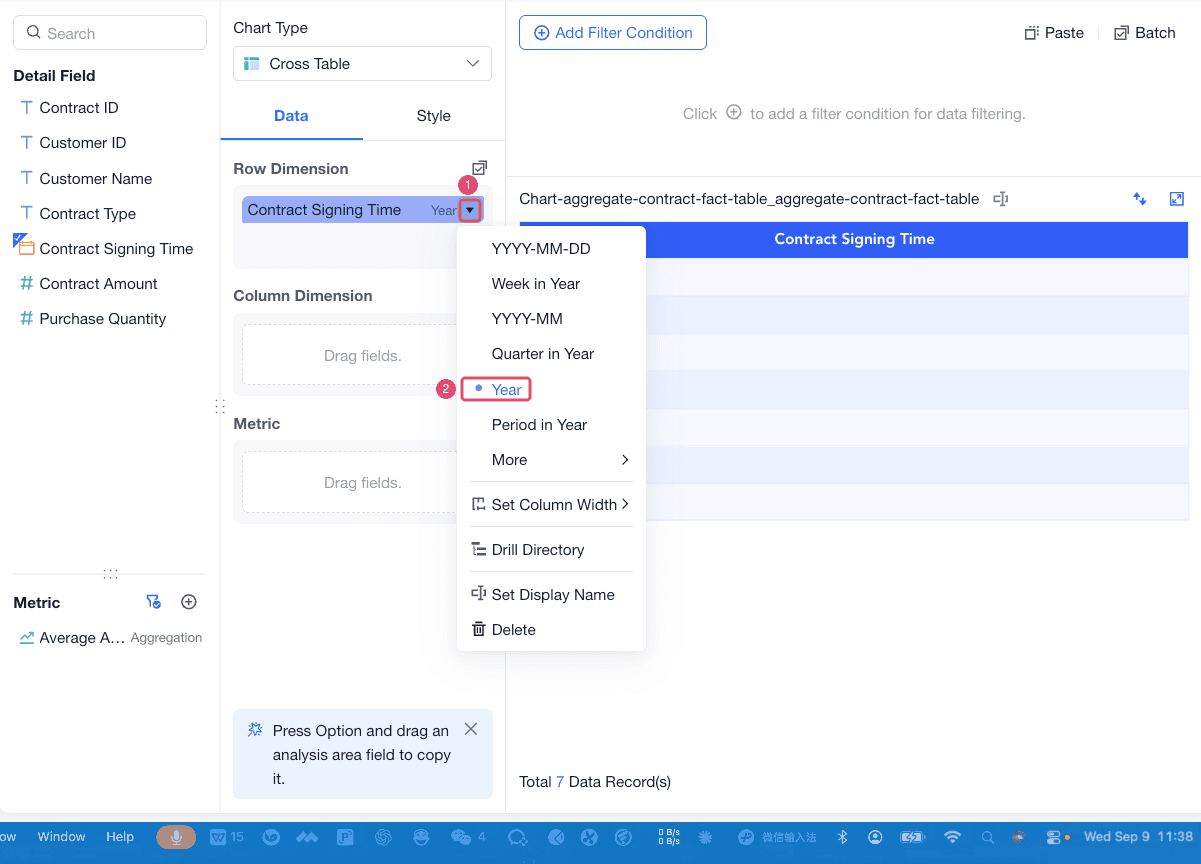
For example, use the Contract Fact table to calculate the number of signed contracts for each year. First, drag Contract Signing Time to Row Dimension and set it to year granularity.
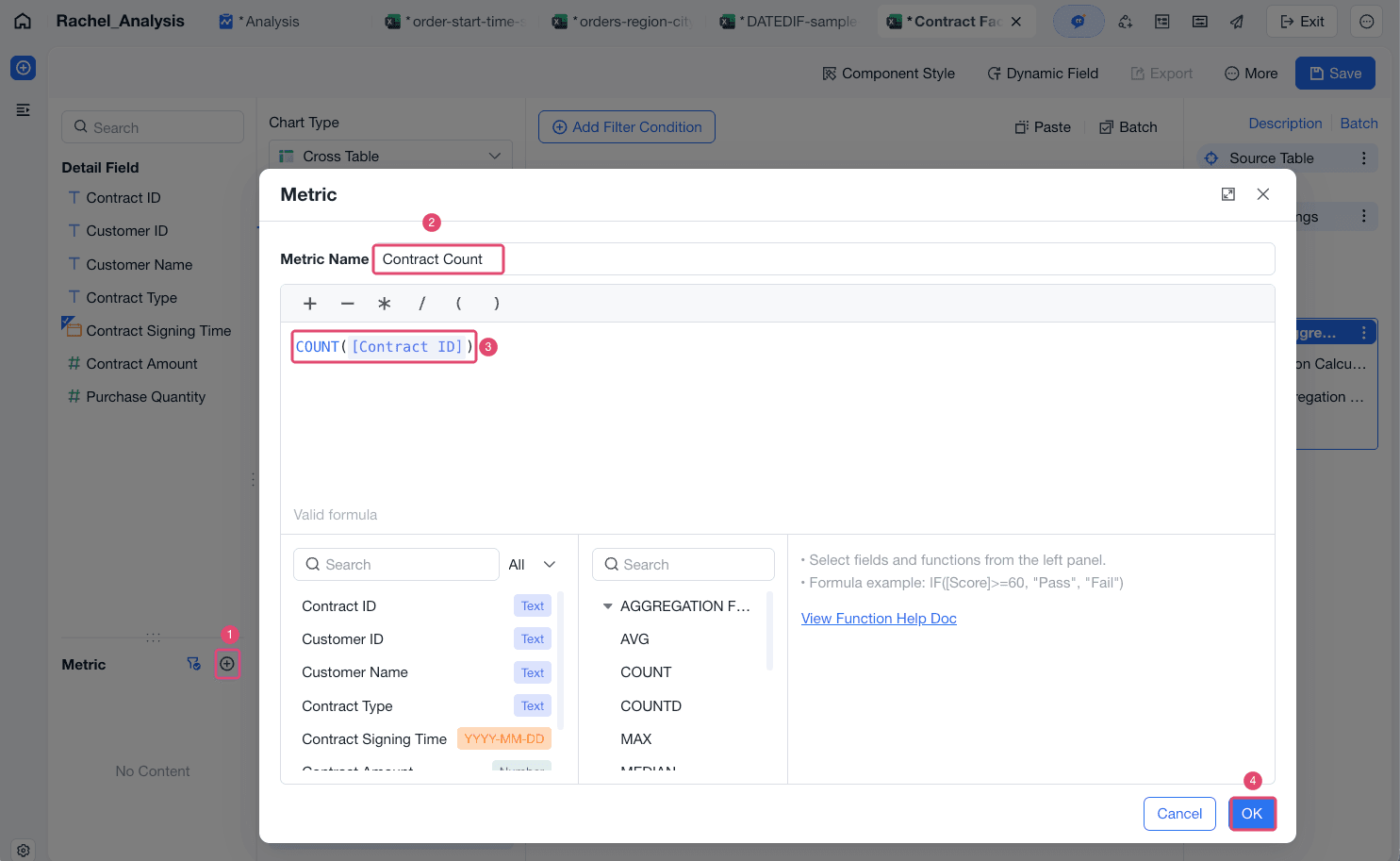
Create a metric named Contract Count, enter the formula COUNT([Contract ID]), and click OK.
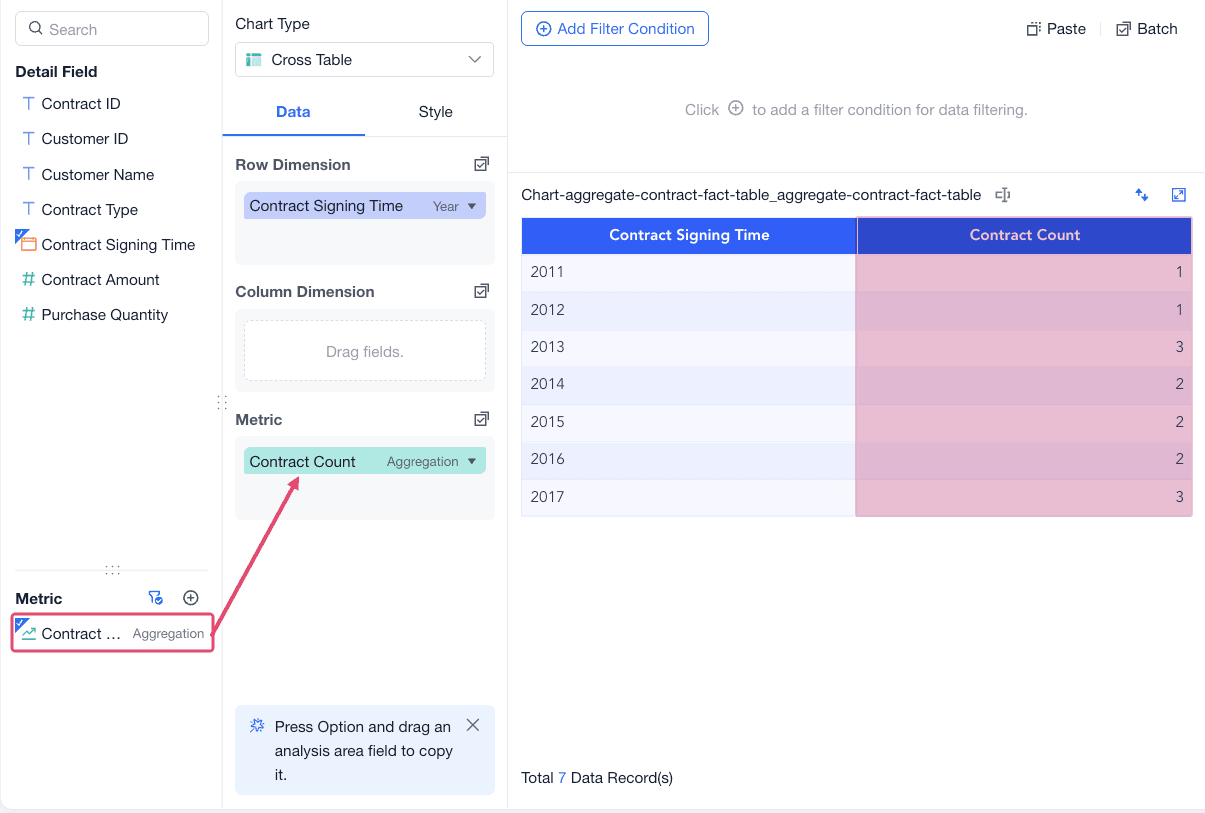
Drag the metric to the Metric area. The result shows the contract count for each year.