Function Description
| Category | Description |
|---|---|
| Syntax | COUNTD(field) |
| Function | Returns the distinct count of the field values for the current analysis dimension. |
| Parameter | field: the field values to count after being deduplicated |
| Number of Parameters | 1 |
| Parameter Type | Field |
| Return Value Type | Number |
| Notes | Aggregate functions can be used only when you add a metric to a chart. They cannot be used in analysis tables. |
Examples
When the date field in Row Dimension is set to day granularity, the metric COUNTD([Customer ID]) returns the number of distinct customers who made purchases each day.
When the date field in Row Dimension is set to month granularity, the metric COUNTD([Customer ID]) returns the number of distinct customers who made purchases each month.
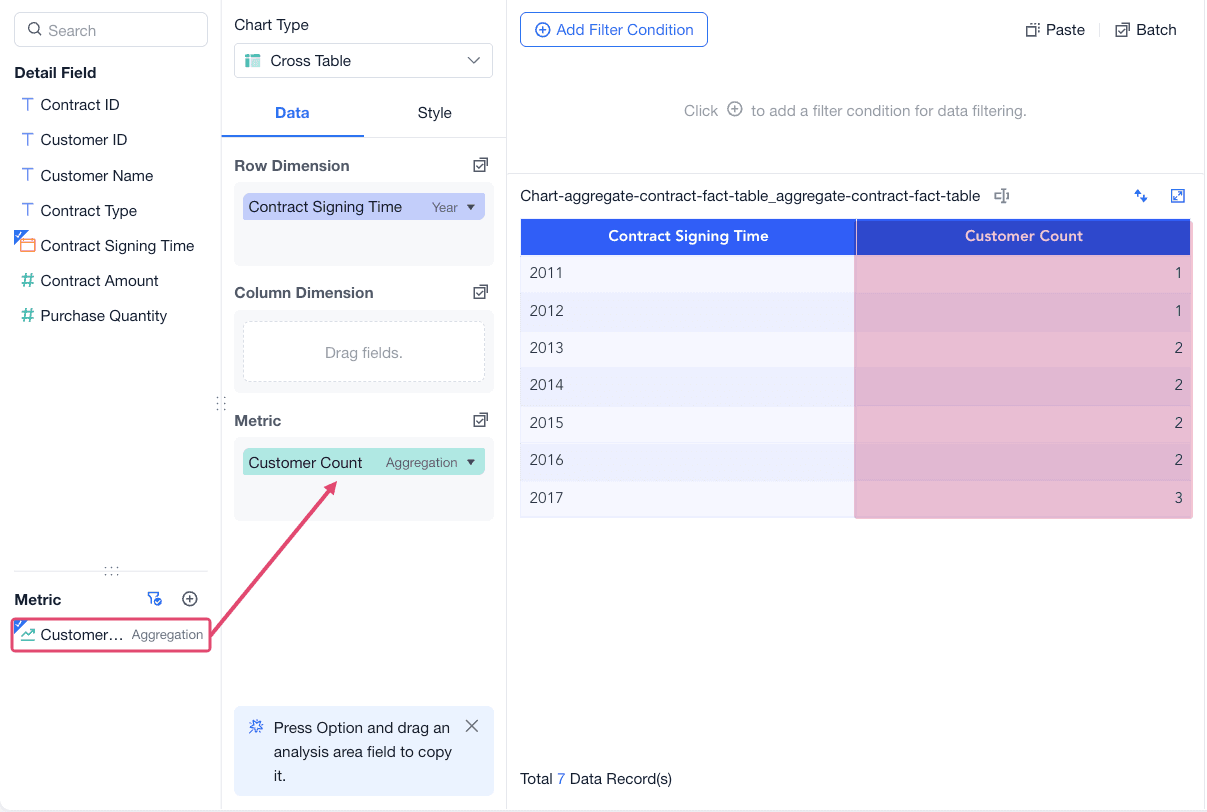
For example, use Contract Fact to count customers by contract type.
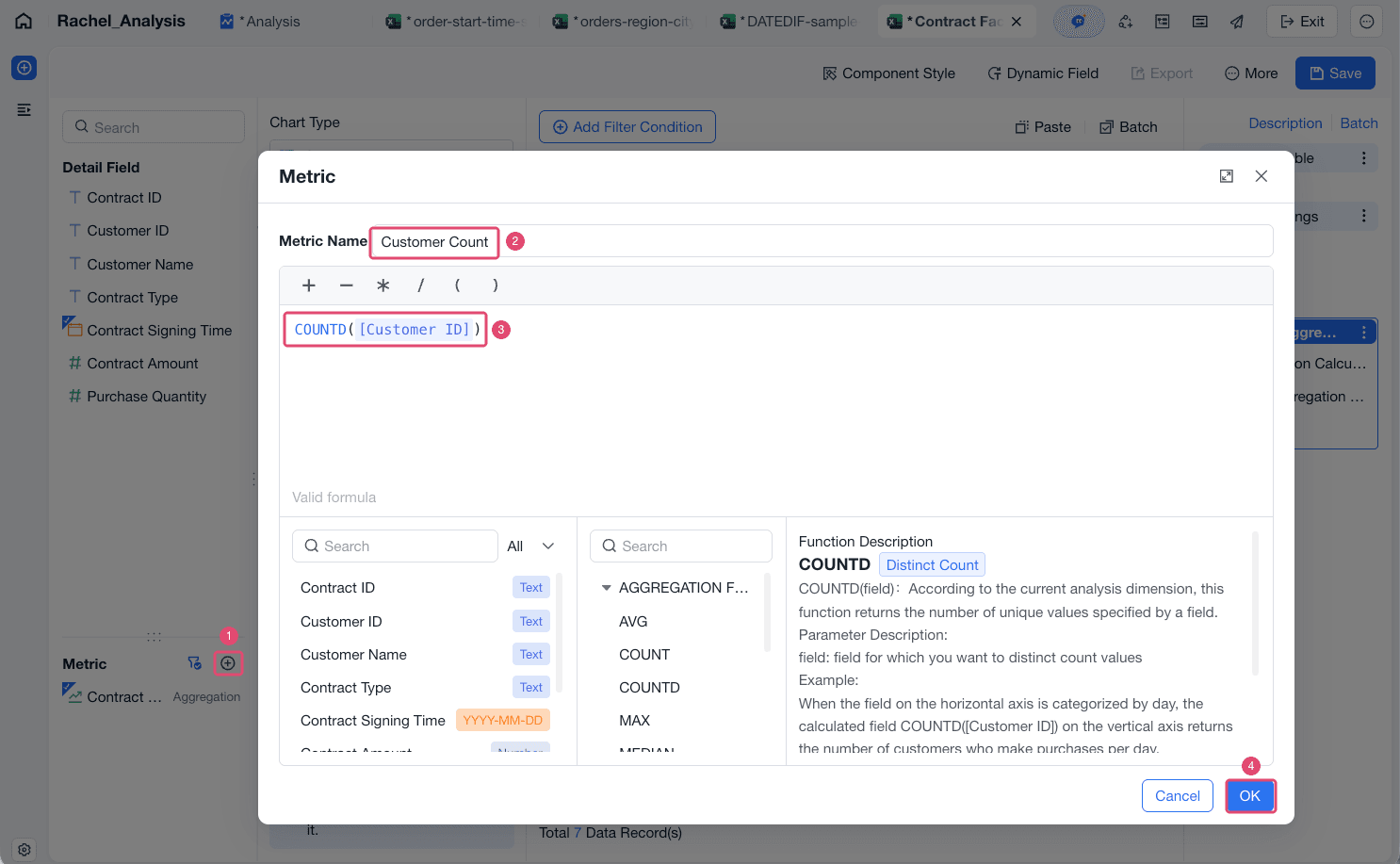
Create a metric named Customer Count and enter the formula COUNTD([Customer ID]).
Drag the metric to the Metric area to view the result.