Function Description
| Category | Description |
|---|---|
| Syntax | DATEDIF(start_date,end_date,unit) |
| Function | Returns the number of days, months, or years between two specified dates. |
| Parameters | start_date: the start date value of the specified period Only date or datetime values are supported. end_date: the end date value of the specified period Only date or datetime values are supported. unit: the unit value that determines how the result is returned, where - "Y": returns the number of complete years between the specified dates- "M": returns the number of complete months between the specified dates- "D": returns the number of days between the specified dates.- "MD": ignores years and months, and returns the day difference between the specified dates- "YM": ignores years, and returns the number of complete months between the specified dates- "YD": ignores years, and returns the day difference between the specified dates |
| Number of Parameters | 3 |
| Parameter Type | start_date: date or datetime end_date: date or datetime unit: text |
| Return Value Type | Number |
Examples
| Formula | Result |
|---|---|
DATEDIF(DATE(2001,2,28),DATE(2004,3,20),"Y") | 3 There are 3 complete years between February 28, 2001 and March 20, 2004. |
DATEDIF(DATE(2001,2,28),DATE(2004,3,20),"M") | 36 There are 36 complete months between February 28, 2001 and March 20, 2004. |
DATEDIF(DATE(2001,2,28),DATE(2004,3,20),"D") | 1116 There are 1116 days between February 28, 2001 and March 20, 2004. |
More Examples
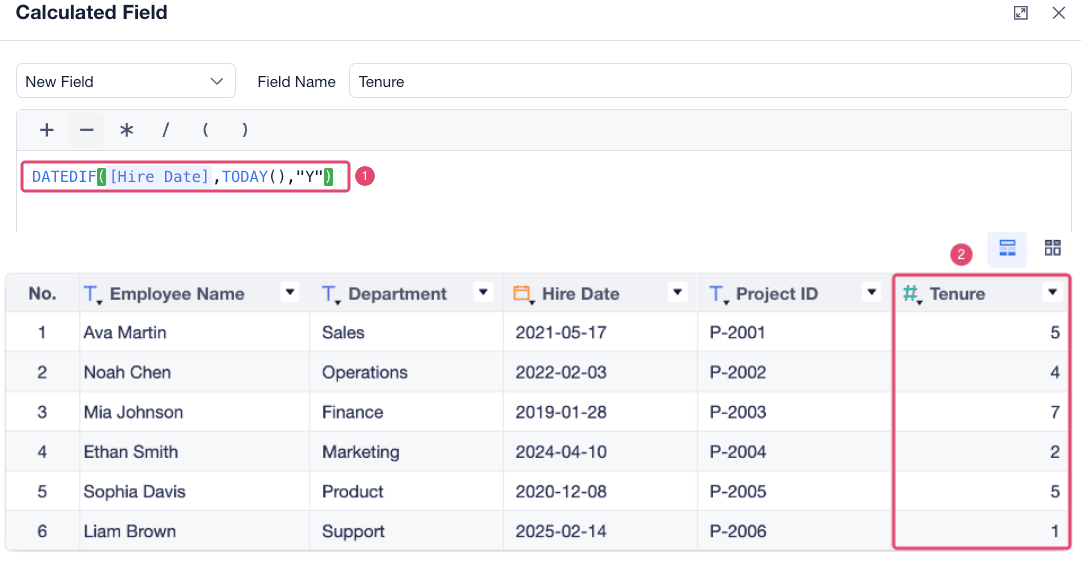
You can use DATEDIF to calculate employee tenure. Use DATEDIF([Hire Date],TODAY(),"Y") to calculate the number of years from the hire date to today.
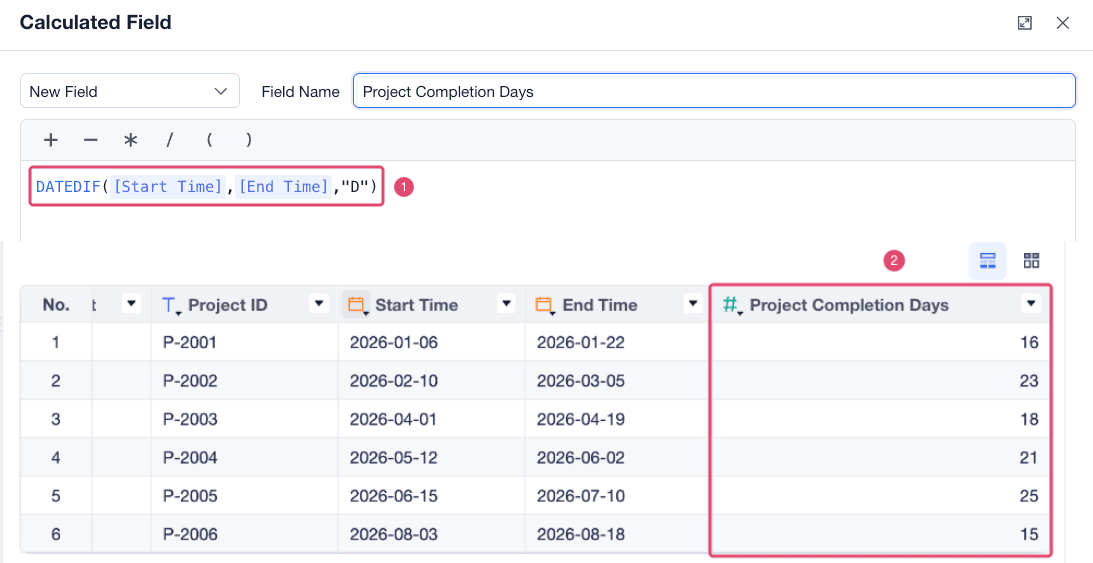
You can also use DATEDIF to calculate the number of days required to complete a project. Use DATEDIF([Start Time],[End Time],"D") to calculate the number of days between each project start time and end time.